How to Create a Weekly Content Plan With ChatGPT (That Actually Supports Your Business)
You open ChatGPT and type something like:
“Give me 10 Instagram post ideas for my business.”
And ChatGPT happily gives you 10 ideas.
Some educational tips. A motivational quote. A behind-the-scenes post. Maybe something about the five mistakes your ideal client is making.
Great. Now what?
Which ones should you actually post? How do they fit together? And more importantly, are any of them helping you get more people interested in your business?
Hey, it's Irena from The SoloGenius!🥰
I use AI for content creation all the time, but there's one thing I think we need to talk about more: creating content faster doesn't automatically mean we're creating better content.
Because, let's face it, you could ask ChatGPT to generate 30 posts in five minutes and still spend the rest of your afternoon wondering which ones are worth publishing.
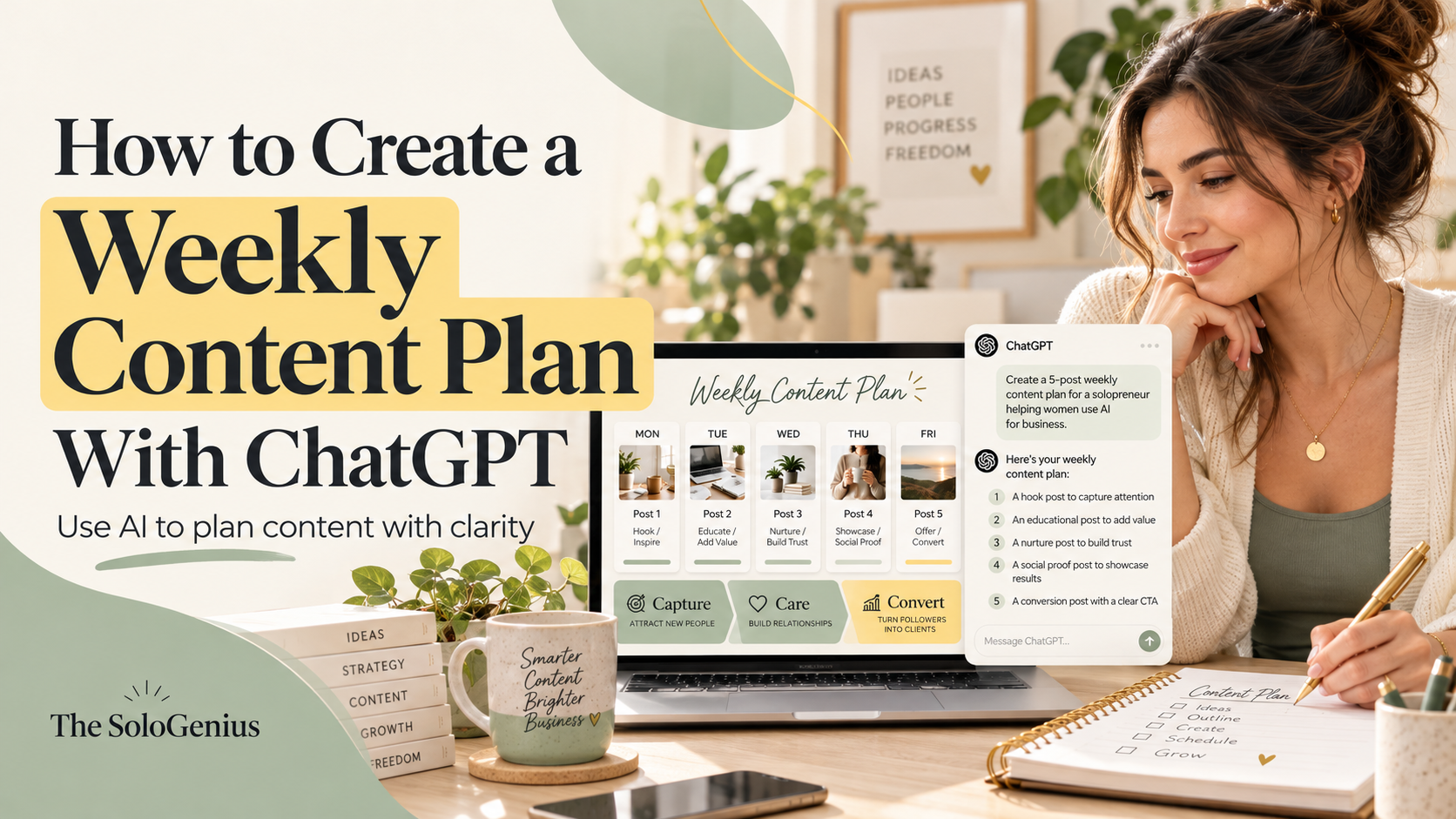
So today, I'm showing you how to create a weekly content plan with ChatGPT using a simple strategy I teach called Capture, Care, Convert.
The goal? Five purposeful content ideas that work together to support your business, without turning content planning into another full-time job.
Psssst.... Want to save this for later? Download the complete weekly content-planning guide here.

Can ChatGPT Create a Weekly Content Plan?
Absolutely.
ChatGPT can help you brainstorm post ideas, organize them into a weekly calendar, choose content formats, and develop hooks and captions.
But the quality of that plan depends on the information and direction you give it.
If you simply ask for “five social media posts,” ChatGPT has to guess what you're trying to achieve. You might get perfectly decent ideas that have absolutely nothing to do with what your business needs this week.
A much better approach is to give ChatGPT three things:
Your business context: Who you help, what you offer, and who your audience is.
Your goal for the week: What you want your content to help you achieve.
A content strategy: What role each post should play.
Let's put those pieces together.
Step 1: Start With Your Business Goal, Not Your Content Ideas
Before you open ChatGPT, ask yourself:
What do I want my content to help me achieve this week?
Maybe you want more people to discover your business.
Maybe you have a free resource you want more people to download.
Maybe you're preparing to launch something, or you've noticed your audience has questions about an offer.
Your answer matters because your weekly content should support that goal.
For example, imagine you're a business coach who wants more people to download your free business-planning worksheet.
Your content goal might be:
“I want to attract more business owners who struggle with planning and encourage them to download my free worksheet.”
Now we have somewhere to start!
ChatGPT can work with that. And it can help you decide what to say throughout the week instead of handing you another random collection of posts.
One small thing: don't try to make every post sell something directly. People need different things from your content depending on how familiar they are with you and your business.
Which brings me to my favorite part.
Step 2: Use the Capture, Care, Convert Content Strategy
I use a framework called Capture, Care, Convert, or the 3C strategy.
It's a simple way to make sure your content is doing more than filling empty spaces on your calendar.
Here's how it works.
Capture: Help New People Discover You
Capture content is designed to get attention from the right people.
Think relatable situations, strong opinions, common frustrations, surprising observations, or problems your audience immediately recognizes.
For our business coach, a Capture post might start with:
“You don't need another pretty planner. You need to know what you're actually working toward this week.”
The point is to make someone who doesn't know you yet think, “Oh, she's talking about me.”
Care: Build Trust With the People Already Watching
Care content helps your audience learn something, understand your approach, or feel more confident that you can help them.
This is where tutorials, explanations, real examples, personal experiences, and behind-the-scenes insights fit nicely.
Our business coach might share:
“The three questions I ask before planning my business week.”
Now her audience gets something useful, and they're beginning to see how she thinks and works.
Convert: Give People a Reason to Take the Next Step
Convert content connects a problem or desired result to an offer or resource that can help.
And no, it doesn't always have to be a big sales pitch.
For our coach, a Convert post could explain what's inside her free business-planning worksheet, who it's for, and why she created it.
The key is making the next step clear.
Capture gets the right people's attention. Care gives them a reason to trust you. Convert helps them take action.
You need all three, even if the balance changes from week to week.
Step 3: Give ChatGPT Enough Context About Your Business
Here's where a lot of people get frustrated with AI.
They give ChatGPT a one-sentence description of their business and expect content that sounds personal, understands their audience, and promotes their offers naturally.
That's a lot to expect from one sentence, right?
For a much more useful content plan, ChatGPT should know:
What your business does and who you help.
What your audience struggles with and wants.
What makes your approach different.
Which offers or free resources you have.
How you want your content to sound.
Which platforms and formats you actually use.
Want to skip writing all that information from scratch?
My free AI Brand Brief Generator helps you create a reusable business brief with your audience, offers, brand voice, and more. Create it once, then use it whenever you're working with ChatGPT or Claude.
You don't have to type all of this from scratch every Monday.
You can keep a reusable brand brief and provide it whenever you work with AI. If you use ChatGPT Projects, you can also add reference files and project-specific instructions to keep your content-planning work together.
I explain that setup in my guide on how I organize my ChatGPT chats for business.
But if you're just getting started, even a short business description is better than nothing.
For example:
“I'm a business coach for women who run service-based businesses. My audience struggles with knowing what to prioritize and often feels overwhelmed by their to-do lists. I offer a free weekly planning worksheet and a paid coaching program. My writing style is friendly, practical, and direct.”
Now we can ask ChatGPT to do something useful with that information.
Step 4: Copy This ChatGPT Weekly Content Planning Prompt
Here's a prompt you can use to create a weekly content plan based on your business goals and the 3C strategy.
Quick tip: Already have your AI Brand Brief? Instead of filling out the business information section below, simply give ChatGPT your brief and tell it to use that as the context for your content plan.
Don't have one yet? Generate your free AI Brand Brief here.
Copy and paste this into ChatGPT:
Act as my strategic content planning partner for my small business.
I want you to help me create a weekly content plan that attracts the right audience, builds trust, and encourages people to take the next step with my business.
Here's my business information:
Business: [What you do]
Ideal audience: [Who you help and what they struggle with]
Main offer or free resource: [What you want to promote]
This week's business goal: [What you want your content to achieve]
Main platform: [Instagram, LinkedIn, etc.]
Preferred content formats: [Carousels, reels, graphics, etc.]
Brand voice: [How you naturally communicate]
Use my Capture, Care, Convert content strategy:
Capture: Relatable, attention-grabbing content that helps the right new people discover me.
Care: Educational, helpful, or personal content that builds trust.
Convert: Content that connects an audience problem to my offer or resource and encourages a clear next step.
Create a plan for five posts this week:
2 Capture posts
2 Care posts
1 Convert post
For each post, provide:
The content category (Capture, Care, or Convert).
The specific topic or angle.
Three hook options.
The main point I should communicate.
The best content format.
A relevant call to action.
A short explanation of how the post supports my weekly goal.
Avoid generic motivational posts, repeated ideas, and content that doesn't have a clear purpose.
Don't invent personal stories, customer experiences, or results. If a post would benefit from a real example or opinion from me, flag that.
If you need essential information before planning, ask me up to three focused questions. Otherwise, create the plan.
➡️ Bookmark this page so you can reuse this prompt.
A quick note about the ratio: Two Capture, two Care, and one Convert is an example, not a rule you have to follow forever.
If you're launching an offer, you might want more Convert content. If you're focused on growing your audience, you might lean more toward Capture.
The business goal comes first.
Step 5: Review the Content Plan Before You Start Creating Posts
Now let's see what this might look like in practice.
We'll stick with our business coach who's promoting her free weekly planning worksheet.
Here's an example of the kind of plan we want ChatGPT to help create:
Monday
Type: Capture
Post idea: “Your to-do list isn't a business plan.”
Purpose: Get attention from overwhelmed business owners
Tuesday
Type: Care
Post idea: Three questions to ask before planning your week
Purpose: Teach a simple planning method
Wednesday
Type: Capture
Post idea: “Anyone else spend Monday organizing tasks and call it productivity?”
Purpose: Create a relatable moment
Thursday
Type: Care
Post idea: How to choose your top three business priorities
Purpose: Demonstrate expertise
Friday
Type: Convert
Post idea: A walkthrough of the free weekly planning worksheet
Purpose: Encourage downloads
This is an illustrative example, not a record of an actual client's content calendar.
Notice how the posts connect?
Someone might discover the coach through Monday's relatable post, save Tuesday's tutorial, and eventually download the worksheet after seeing Friday's post.
Of course, real people don't always encounter posts in order, and there's no guarantee they'll see all five.
That's fine. Each post should still make sense on its own.
But together, they give the week's content a clear direction.
My Favorite Question to Ask ChatGPT Next
Once you've got your plan, ask:
“Which of these five posts is the weakest at supporting my weekly business goal, and how would you improve it?”
I love this kind of question because AI can do more than generate things for us. It can help us evaluate ideas, spot gaps, and make better decisions.
Don't assume its criticism is automatically right, either. You know your audience and business better than a tool does.
Treat its suggestions as something to consider, not instructions you have to follow.
Step 6: Turn Your Plan Into Actual Posts (Without Losing Your Voice)
Once you approve the five ideas, you can use ChatGPT to help turn them into captions, carousel outlines, or reel concepts.
But please don't feel like you have to publish whatever it generates.
Especially when it starts writing things like:
“Are you ready to unlock your potential and take your business to the next level?”
No, thank you.
Here's what I'd do instead.
Choose one idea from your weekly plan and give ChatGPT a more specific instruction:
Let's develop the Tuesday Care post.
Create a seven-slide Instagram carousel outline based on the topic we approved.
Keep the language natural, clear, and conversational. Avoid generic marketing phrases.
Each slide should introduce one useful point or move the explanation forward.
Suggest where I could add my own experience, opinion, or example. Do not invent those details.
End with a simple CTA that fits this educational post.
Then review the result.
Does the hook sound like something you'd actually say?
Does the advice make sense for your audience?
Can you add something from your own experience that makes the post more useful?
And do you really need seven slides, or could you explain the whole thing better in four?
Because that's the part I never want business owners to skip.
AI can help you move faster, but you're still the one making the decisions about what deserves to go out into the world.
Step 7: Save Your Weekly Planning Workflow
Once you've found an approach that works, stop rebuilding it every single week.
Save your prompt. Keep a copy of your business context. Reuse your favorite planning format.
You can even set up a dedicated ChatGPT Project for content planning, add your brand information, and keep your weekly plans and drafts together.
Then your next content-planning session can start with something as simple as:
“Let's plan next week's content using our 3C framework. My priority this week is promoting [offer]. Here are the topics I've already covered recently. Suggest five fresh ideas.”
And if you'd rather start with a collection of strategic hooks and content templates instead of building everything from scratch, that's exactly what my AI Content Flow Studio is for.
Just remember to update your business goal and offers as things change.
And at the end of each week, take a quick look at what actually happened.
Which posts brought in the right conversations? Which topics got useful questions or saves? Did anyone click through to your resource or offer?
You don't need a complicated dashboard to start learning from your content.
Even a few notes will help you make next week's plan a little smarter.
Want to Make Weekly Content Planning Even Easier?
Creating a strategy from scratch every week still takes effort, even with ChatGPT.
That's exactly why I created the AI Content Flow Studio.
Inside, you'll find monthly content drops organized around my Capture, Care, Convert strategy, with hooks, post templates, and ideas you can customize for your own business.
Instead of staring at an empty calendar every Monday, you can choose a starting point, adapt it to your goal, and get on with creating.
Explore the AI Content Flow Studio — $7/month
A Better Weekly Content Plan Starts With One Good Decision
You don't need ChatGPT to generate hundreds of post ideas.
You need a handful of good ones that make sense for your business right now.
Start with your weekly goal. Use Capture, Care, Convert to choose the right mix of content. Let ChatGPT help with the ideas and drafts, then bring your own thinking and experience into the final posts.
Five purposeful posts are a pretty good place to start.
And who knows? You might finally spend less time planning content and more time actually putting it out there.
Want ChatGPT (and Claude) to Understand Your Business Better?
If your AI-generated content still sounds generic, the problem might be the information you're giving it.
My free AI Brand Brief Generator helps you put your business, audience, offers, and brand voice into a clear brief you can use with your favorite AI tools.
Give your AI the context it actually needs
Your ChatGPT or Claude is missing the full picture.
FREE AI Brand Brief Generator
Answer 6 questions and get a strategically structured document with key info about your business, so ChatGPT/Claude has the context it needs to understand your business properly and give you more relevant, useful, business-specific help.
(It's like the briefing any AI should have before you start asking it to do anything for your business.)
P.S. Use it in ChatGPT, Claude, Gemini, NotebookLM, or wherever you work with AI.
Hey, dear! I'm Irena
I'm your fellow solopreneur and a mom of 3.
My goal? Simply put, I'm here to help you grow your amazing small biz, find your flow, and save time using the power of ChatGPT to make every minute count.
How do I do it? I'm bringing the power of ChatGPT into your business strategy, offering easy and affordable solutions that keep you ahead of the game.
"Irena has shown me an entirely new side of my business through ChatGPT. I'm super excited to explore more ways to use it for my business." - Reese
"Irena's guidance has not only simplified my daily tasks but also given me peace of mind. I can't thank her enough." - Rachel
Have a week of Instagram content done in less than an hour.
AI Content Flow Studio (only $7/month)
Your solution to Instagram overwhelm.
A simple AI-powered system that keeps your business visible, builds trust with your audience, and finally makes content creation feel doable — even on your busiest weeks.
Your AI is ready. Your content system is waiting.
Cancel anytime. Just see how this month feels.